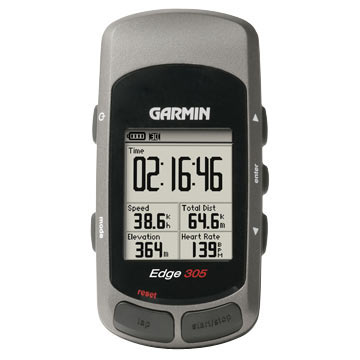
You can also cycle against a "Training Partner", a recording of a previous passage over the same route, where the display shows your relative positions.
I also bought the cadence and heart rate sensors and so the device showed the current and average values of them.
The displays are customisable to show the values you are most interested in (up to 8 on the main screen).
The main stay for USB device interface is GPSbabel. The first thing I did was get this working, so at least I could download my tracks before they were overwritten on the Edge.
I tried lots of software...(expand later)
(Also, IIRC, there is a GUI front-end.)
#!/bin/bash
DATE="`date +%y%m%d`"
DEVICE="usb:"

FILE="all_${DATE}.tcx"
echo "Get all Training Centre data to: ${FILE} ..."
gpsbabel -t -i garmin -f ${DEVICE} -o gtrnctr -F ${FILE}

FILE="tracks_${DATE}.gpx"
echo "Get all               Tracks to: ${FILE} ..."
gpsbabel -t -i garmin -f ${DEVICE} -o gpx -F ${FILE}

FILE="route_${DATE}.gpx"
echo "Get all               Routes to: ${FILE} ..."
gpsbabel -r -i garmin -f ${DEVICE} -o gpx -F ${FILE}

FILE="waypoints_${DATE}.gpx"
echo "Get all            Waypoints to: ${FILE} ..."
gpsbabel -w -i garmin -f ${DEVICE} -o gpx -F ${FILE}
gpsbabel -i gtrnctr -f myFile-crs.tcx -o gtrnctr,course=no -F myFile-act.tcx
#!/bin/bash
FILE="$1"
DEVICE="usb:"

gpsbabel -r -i gpx -f $FILE -x simplify,count=100 -o garmin -F $DEVICE
#!/bin/bash
IN_FILE="$1"
OUT_FILE="$1.smp"

gpsbabel -r -i gpx -f $IN_FILE -x simplify,count=100 -o gpx -F $OUT_FILE
If you want to take a track you have done and want to edit it for a new route (e.g. to make your training route longer) to follow these instructions (it is not obvious just from using the GUI !!) QLandkarte GT Wiki: Edit a Track but convert to a "Route" to get a format that the Edge will recognise and Export it: do not Save it. Also before importing the old track "simplify" it first.
Garmin Forerunner 210: mounts as a USB stick without problems to: get activity files (.FIT), put routes onto device and put firmware updates on.